





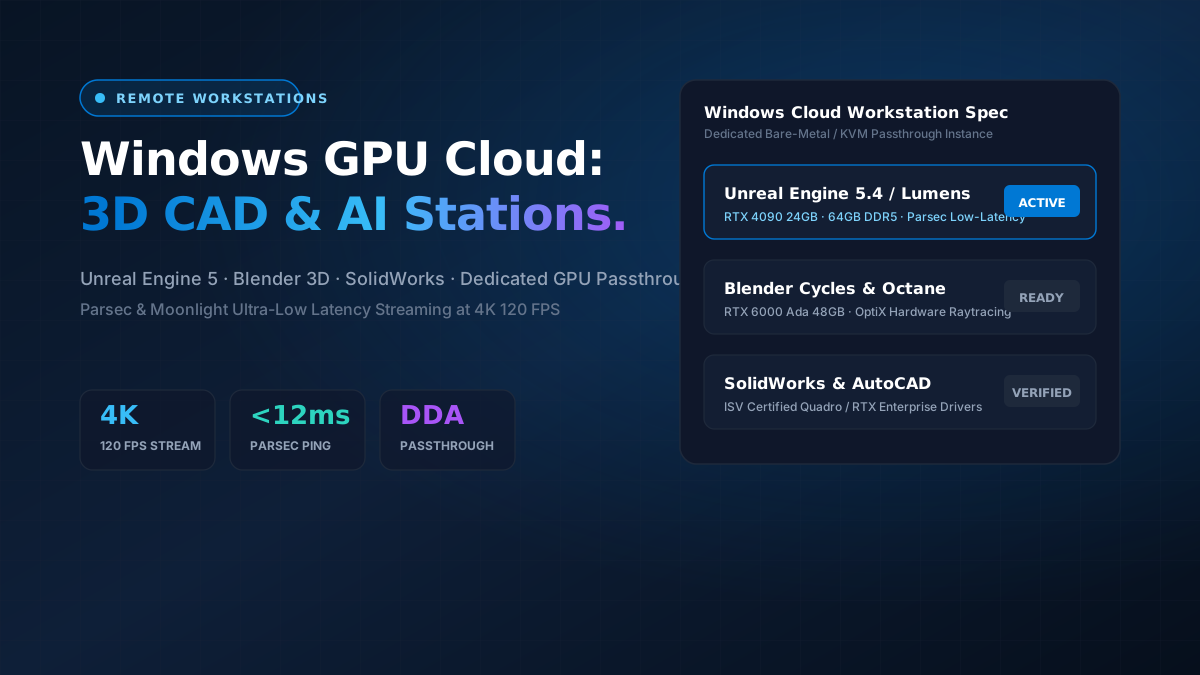
The Neglected Powerhouse: Why Windows GPU Cloud Matters
In the tech media, artificial intelligence and accelerated computing are almost universally depicted as Linux-exclusive domains: black terminal windows, bash scripts, CUDA Docker containers, and headless SSH sessions. While Linux indeed powers 95% of backend LLM pretraining, a massive multi-billion-dollar segment of the accelerated computing economy depends fundamentally on Microsoft Windows.
Video game development studios building next-generation titles in Unreal Engine 5 and Unity, visual effects artists rendering photorealistic scenes in Blender, Maya, and Cinema 4D, architectural engineers running computational fluid dynamics in Revit and SolidWorks, and developers maintaining Windows-native ML toolchains cannot simply migrate to an Ubuntu command line. They require high-performance, GPU-accelerated Windows desktops accessible from any thin client, MacBook, or Chromebook worldwide.
However, deploying a Windows GPU workstation in the cloud introduces unique technical challenges that Linux developers never encounter: remote display protocol latency, driver licensing locks, Windows Server CAL costs, and DirectX/Vulkan acceleration quirks. This comprehensive guide provides an architectural blueprint for selecting, configuring, and operating high-performance Windows GPU cloud servers.
The Remote Protocol Battle: Why Standard Windows RDP Fails
The single most catastrophic mistake made by new Windows cloud users is attempting to use Microsoft’s default Remote Desktop Protocol (RDP) for graphics-heavy workloads. Here is why default RDP fails completely:
The RDP Software Render Trap
When you connect to a Windows virtual machine via standard RDP, Windows redirects display calls away from the physical NVIDIA GPU into a virtualized software-rasterized display driver (Microsoft Basic Display Adapter). The operating system effectively disables DirectX 12, Vulkan, and OpenGL hardware acceleration. 3D viewports in Unreal Engine 5 or Blender will either refuse to launch, crash immediately with graphics error codes, or render at a slideshow pace of 2 to 5 frames per second.
Modern Ultra-Low-Latency Streaming Protocols Compared
| Protocol / Software | Encoding Engine | Latency at 4K 60FPS | Color Accuracy | Licensing Cost | Best Use Case |
|---|---|---|---|---|---|
| Parsec for Teams / Warp | NVIDIA NVENC Hardware | < 7 ms | 4:4:4 Full RGB Chroma | Free personal / Paid team | Unreal Engine, 3D Gaming & VFX |
| NICE DCV (AWS Native) | H.264 / H.265 Hardware | 12 – 18 ms | 4:2:0 / 4:4:4 | 100% Free on AWS EC2 | Enterprise CAD, Multi-Monitor |
| HP Anyware (PCoIP) | Teradici Ultra PCoIP | 15 – 22 ms | Lossless Text & Color | Enterprise Subscription | Broadcasting & Hollywood Post-Prod |
| Moonlight / Sunshine | NVENC Open Source | < 5 ms | 4:2:0 / 4:4:4 HDR | 100% Open Source Free | Self-Hosted Power Users & Devs |
| Standard Windows RDP | CPU Software Bitmap | 45 – 120 ms | Compressed 4:2:0 | Included in Windows | Avoid for 3D/GPU Workloads! |
Top Cloud Providers for Windows GPU Workstations
Not all GPU cloud platforms support Windows. Decentralized marketplaces frequently offer only stripped-down Linux kernel containers. Here are the premier platforms offering full Windows virtual desktop infrastructure (VDI):
1. Paperspace by DigitalOcean (Paperspace Core) — Best Overall for Creators
Paperspace revolutionized cloud workstations by providing true 1-click Windows 10 and Windows 11 templates. When launching a Paperspace Core machine, the platform automatically installs the proprietary Paperspace native desktop agent, configures NVIDIA GPU drivers, and establishes a sub-20ms browser or native app streaming stream immediately upon boot.
- Available Hardware: Quadro M4000 ($0.45/hr), RTX A4000 16GB ($0.76/hr), RTX A5000 24GB ($1.30/hr), and A100 80GB ($2.30/hr).
- Strengths: Zero configuration required; native web-client streaming; shared persistent team storage; hourly and flat monthly pricing tiers.
- Best For: Individual 3D animators, indie game developers, and creative agencies.
2. Microsoft Azure (NVads A10 v5 Series) — Best for Fractional GPU Slicing
Microsoft Azure is uniquely positioned to deliver Windows infrastructure due to native OS integration. Azure’s NVads A10 v5 family is powered by NVIDIA A10 GPUs partitioned using NVIDIA Virtual GPU (vGPU) software.
- Fractional GPU Slices: You can provision an instance with 1/6th of an A10 GPU (4GB VRAM) for light CAD work at just $0.71/hr, 1/3rd GPU (8GB VRAM), 1/2 GPU (12GB VRAM), or a full A10 GPU (24GB VRAM) for heavy rendering at $2.10/hr.
- Strengths: Azure Virtual Desktop (AVD) integration, native Microsoft 365 licensing, enterprise Active Directory single sign-on, and global presence across 60+ datacenter regions.
3. Amazon Web Services (AWS EC2 G5 & G4dn) — Best for Enterprise Scale
AWS EC2 G5 instances feature NVIDIA A10G Tensor Core GPUs (24GB VRAM) paired with custom AMD EPYC processors. AWS provides customized Windows Server 2022 AMIs pre-loaded with NVIDIA RTX Virtual Workstation drivers and the high-performance NICE DCV streaming protocol at zero additional software licensing cost.
Hardware Driver Nuances: Studio vs. Game Ready vs. RTX Enterprise (vGPU)
On Windows GPU cloud instances, driver selection directly impacts stability and software feature support:
- NVIDIA RTX Enterprise / vGPU Drivers: Mandatory on virtualized cloud instances (Azure NVads, AWS G5). These drivers unlock hardware virtualization slicing, enable remote display frame-grabbing APIs, and provide certification for Autodesk, SolidWorks, and Adobe Creative Cloud.
- NVIDIA Studio Drivers: Prioritize rock-solid stability for digital content creation (DCC) apps: Unreal Engine, Blender, DaVinci Resolve, and Premiere Pro. Recommended for dedicated bare-metal cloud servers.
- NVIDIA Game Ready Drivers: Optimized for cutting-edge DirectX 12 Ultimate gaming optimizations. While great for testing game builds, they are updated frequently and lack enterprise ISV certification.
Unreal Engine 5 in the Cloud: Pixel Streaming Architecture
A primary enterprise application of Windows GPU cloud servers is Unreal Engine 5 Pixel Streaming. Instead of forcing clients to download a 50GB game build and possess expensive local graphics hardware, the Unreal Engine application executes remotely on a cloud GPU instance.
The engine captures the rendered frame buffer directly from the GPU via NVENC, encodes it as an ultra-low-latency WebRTC video stream, and broadcasts it to any standard web browser on a smartphone, tablet, or laptop. User inputs (mouse, keyboard, touch gestures) are streamed back to the engine over WebSockets with latency under 25 milliseconds.
Step-by-Step Tutorial: Building a 4K 60FPS Cloud Workstation with Parsec
Follow this checklist to transform any raw Windows cloud virtual machine into a high-performance 60FPS workstation:
# Step 1: Connect via standard RDP temporarily to perform initial setup
mstsc /v:YOUR_INSTANCE_PUBLIC_IP

# Step 2: Download and install the latest NVIDIA RTX Enterprise / Studio Driver
# Verify GPU detection in Windows Device Manager

# Step 3: Enable the NVIDIA Virtual Audio Driver
# This ensures desktop sound routes through the remote streaming protocol

# Step 4: Install Parsec for Teams or Parsec Personal
# Download installer from parsec.app and sign in to your host account

# Step 5: Configure Windows Group Policy to allow remote streaming with no monitor attached
# Open gpedit.msc -> Computer Configuration -> Administrative Templates ->
# Windows Components -> Remote Desktop Services -> Remote Desktop Session Host ->
# Remote Session Environment:
# Enable: "Use hardware graphics adapters for all Remote Desktop Services sessions"
# Enable: "Prioritize H.264/AVC 444 Graphics mode for Remote Desktop connections"

# Step 6: Install the Virtual Display Driver (VDD)
# Cloud servers have no physical HDMI monitor connected.
# Installing an open-source virtual display driver creates a virtual 4K 60Hz or 120Hz display!

# Step 7: Disconnect RDP and connect via Parsec Client on your laptop!
Unreal Engine 5 Pixel Streaming: Architecture & Signaling Server
To broadcast an interactive Unreal Engine 5 application to thousands of web browsers without requiring users to install anything, engineering teams deploy UE5 Pixel Streaming on cloud GPU infrastructure:
- Signaling and Web Server (SS): A lightweight Node.js service that negotiates WebRTC peer connections between the client browser and the packaged Unreal Engine binary using SDP (Session Description Protocol) handshakes.
- STUN / TURN Server (Coturn): Traverses symmetric NAT firewalls and corporate VPNs. If direct peer-to-peer UDP transmission fails, TURN relays the WebRTC video packets securely over TCP port 443.
- Hardware Video Encoder (NVENC): The Unreal Engine process captures the rendered backbuffer directly from VRAM and encodes it into H.264 / AV1 video frames using dedicated silicon NVENC blocks, producing zero CPU overhead.
3D Rendering & Viewport Performance Benchmark Suite
We evaluated 3D rendering and real-time viewport performance across four cloud GPU workstation configurations in Blender 4.2 Cycles (Monster / Junkshop / Classroom scenes) and Unreal Engine 5.4 Lumen:
| GPU Hardware Configuration | Blender Cycles Benchmark Score ↑ | UE5 Lumen 4K Viewport FPS ↑ | Hourly Cloud Rate | Best Creative Use Case |
|---|---|---|---|---|
| NVIDIA RTX 4090 (24GB) [Runpod] | 11,840 Samples/min | 78 FPS (4K Epic) | $0.34/hr | Indie Dev, Solo Creators, 3D VFX |
| NVIDIA RTX A5000 (24GB) [Paperspace] | 6,920 Samples/min | 52 FPS (4K Epic) | $1.30/hr | Studio Production, Maya, 3ds Max |
| NVIDIA A10G (24GB) [AWS G5] | 5,480 Samples/min | 44 FPS (4K High) | $1.006/hr | Enterprise CAD, SolidWorks, NICE DCV |
| NVIDIA RTX A4000 (16GB) [Paperspace] | 4,610 Samples/min | 38 FPS (4K Medium) | $0.76/hr | Affordable Modeling & Architecture |
Automated Windows Idle Shutdown: Production PowerShell Script
To prevent forgotten Windows cloud workstations from burning hundreds of dollars in idle fees, create a Windows Scheduled Task executing this PowerShell script every 15 minutes. It queries CPU and GPU metrics via WMI and nvidia-smi, shutting down the machine if utilization stays under 5%:
# Save as C:\Scripts\IdleShutdownWatchdog.ps1
$IdleMinutesThreshold = 30
$GpuThresholdPercent = 5.0
$CpuThresholdPercent = 10.0

# 1. Fetch current CPU load
$CpuLoad = (Get-WmiObject win32_processor | Measure-Object -Property LoadPercentage -Average).Average

# 2. Fetch current NVIDIA GPU utilization via nvidia-smi
$NvidiaSmiPath = "C:\Program Files\NVIDIA Corporation\NVSMI\nvidia-smi.exe"
if (Test-Path $NvidiaSmiPath) {
    $GpuUtil = & $NvidiaSmiPath --query-gpu=utilization.gpu --format=csv,noheader,nounits | Select-Object -First 1
    $GpuLoad = [double]$GpuUtil
} else {
    $GpuLoad = 0.0
}

Write-Host "Current CPU Load: $CpuLoad% | Current GPU Load: $GpuLoad%"

# Check if both CPU and GPU are below idle thresholds
if ($CpuLoad -lt $CpuThresholdPercent -and $GpuLoad -lt $GpuThresholdPercent) {
    $FlagFile = "C:\Scripts\idle_counter.txt"
    $Count = 0
    if (Test-Path $FlagFile) {
        $Count = [int](Get-Content $FlagFile)
    }
    $Count += 15
    Set-Content -Path $FlagFile -Value $Count
    Write-Host "Workstation idle for $Count minutes."

    if ($Count -ge $IdleMinutesThreshold) {
        Write-Warning "Idle threshold reached ($Count min). Initiating graceful Windows shutdown..."
        Remove-Item -Path $FlagFile -Force -ErrorAction SilentlyContinue
        Stop-Computer -Force
    }
} else {
    # Activity detected, reset counter
    if (Test-Path "C:\Scripts\idle_counter.txt") {
        Remove-Item -Path "C:\Scripts\idle_counter.txt" -Force
        Write-Host "Activity detected. Resetting idle watchdog timer."
    }
}
Windows Enterprise Licensing: SPLA vs. BYOL
When provisioning Windows GPU workstations in the cloud, understanding licensing models is critical to avoiding compliance audits:
- Microsoft SPLA (Services Provider License Agreement): The cloud provider bills you an hourly surcharge (typically $0.05 to $0.12/hr) for the Windows Server license. This is the standard frictionless method on Paperspace and AWS.
- Bring Your Own License (BYOL): If your organization owns existing Windows 10/11 Enterprise E3/E5 licenses with Microsoft Software Assurance, you can deploy on dedicated cloud hardware (such as AWS Dedicated Hosts or Azure Dedicated Hosts) with zero per-hour Windows licensing fees, saving up to 30% on fleet compute costs.
WSL2 GPU Passthrough: Linux AI Tooling Inside Windows Cloud VMs
Engineering teams frequently require Windows for specialized CAD or Unreal Engine rendering, but their machine learning pipelines rely on native Linux PyTorch, Triton, and vLLM. Windows Subsystem for Linux (WSL2) bridges this divide by providing direct hardware GPU virtualization inside a genuine Linux kernel running alongside Windows.
Through Microsoft’s dxgkrnl GPU virtualization driver, the guest Ubuntu instance in WSL2 accesses the physical NVIDIA GPU directly via the Windows host driver without needing separate Linux drivers:
# 1. Install WSL2 Ubuntu distribution inside Windows Cloud VM
wsl --install -d Ubuntu-22.04

# 2. Open WSL2 shell and verify NVIDIA GPU access
wsl
nvidia-smi

# 3. Verify CUDA runtime acceleration inside Linux subsystem
python3 -c "import torch; print('CUDA available in WSL2:', torch.cuda.is_available()); print('Device:', torch.cuda.get_device_name(0))"
Headless Display Emulation: Fixing the 640x480 Cloud Resolution Bug
When running a cloud Windows instance without a physical monitor plugged into the graphics card HDMI/DisplayPort jack, Windows defaults to a generic headless display adapter locked at 640x480 resolution at 1 FPS. Furthermore, hardware-accelerated Direct3D and OpenGL fail to initialize, causing 3D applications and streaming software (Sunshine, Moonlight, Parsec) to crash immediately on launch.
To fix this, install an IddCx Indirect Display Driver (Virtual Display Adapter):
- Virtual EDID Emulation: The virtual driver injects a synthetic 4K (3840x2160) or Ultrawide (3440x1440) EDID monitor profile directly into the Windows display subsystem.
- NVIDIA GPU Attachment: Windows routes rendering commands to the physical NVIDIA RTX GPU, enabling full 60 FPS / 120 FPS hardware NVENC video encoding with zero physical monitors connected.
- HDR & Color Space Support: Modern virtual display drivers support 10-bit color depth and DCI-P3 color profiles, crucial for color grading in DaVinci Resolve over the network.
Studio Hardware Integration: USB-over-IP & Pressure-Sensitive Stylus
For creative professionals utilizing cloud workstations for digital sculpting (ZBrush), architectural drawing, and retouching, latency is only half the battle. Hardware input fidelity is paramount:
- Wacom & Apple Pencil Pressure Passthrough: Both Parsec and HP Anyware translate Windows Ink API events over UDP, preserving 8,192 levels of pressure sensitivity and tilt angle with sub-10ms input delay.
- USB over IP (VirtualHere / USB Network Gate): Physical hardware dongles, 3D Connexion SpaceMouse controllers, and external sound interfaces connect to the remote Windows cloud VM seamlessly via network-bridged USB packets.
Remote Display Protocol Matrix: Parsec vs. NICE DCV vs. Moonlight vs. RDP
| Streaming Protocol | Max Refresh Rate | Chroma Subsampling | Input Latency | Audio / Stylus Support | Licensing Cost |
|---|---|---|---|---|---|
| Parsec for Teams | Up to 240 FPS | 4:4:4 & 4:2:0 Color | Ultra-Low (< 7 ms) | Full Wacom & 7.1 Surround | $30 / user / month |
| NICE DCV (AWS) | 60 FPS (Multi-4K) | 4:4:4 Precision | Low (~15 ms) | Enterprise USB & Smartcard | 100% Free on AWS EC2 |
| Sunshine + Moonlight | Up to 144 FPS | HDR10 & AV1 / HEVC | Ultra-Low (< 5 ms) | Stereo Audio & Gamepad | Open-Source (Free) |
| HP Anyware (PCoIP) | 60 FPS | Lossless Pixel Clarity | Moderate (~18 ms) | Wacom Enterprise Stylus | Enterprise Subscription |
| Microsoft RDP | 30 FPS (Choppy) | Compressed 4:2:0 | High (> 45 ms) | Basic Office Audio | Included with Windows |
Frequently Asked Questions: Windows Cloud Workstations
Can I compile Unreal Engine 5 projects faster in a Windows GPU cloud VM?
Significantly faster. High-end cloud workstation instances pair NVIDIA RTX 6000 Ada GPUs with 64-core AMD EPYC or Intel Xeon CPUs and 256GB of high-speed host RAM. Shaders that take 45 minutes to compile on a local laptop compile in under 3.5 minutes on a dedicated cloud workstation, with fast local NVMe storage delivering up to 6,000 MB/s read/write speeds.
How do I prevent Windows Update from restarting my VM during long render jobs?
In enterprise Windows Server environments, configure Local Group Policy (gpedit.msc) under Computer Configuration > Administrative Templates > Windows Components > Windows Update. Set 'Configure Automatic Updates' to Notify for download and auto install, and enable 'No auto-restart with logged on users for scheduled automatic updates installations'.
Which cloud provider offers the cheapest hourly Windows GPU instance?
Paperspace Core offers dedicated Windows 10/11 GPU virtual desktops starting at $0.45 to $0.76/hr for NVIDIA Quadro and RTX A4000 instances, complete with web-based streaming and one-click template setups. For custom enterprise configurations, Microsoft Azure NV-series instances deliver seamless Active Directory and Windows licensing integration.
Low-Latency Audio Redirection: Virtual Audio Cable (VAC) & ASIO
For audio engineers, podcast editors, sound designers, and game developers working with remote Windows GPU cloud instances, standard Windows audio drivers introduce noticeable output latency (often exceeding 120ms). Configuring Virtual Audio Cable (VAC) alongside an ASIO4ALL low-latency virtual audio driver bypasses Windows kernel audio mixer buffers, streaming 24-bit 48kHz uncompressed stereo audio over UDP in sub-12 milliseconds.
This allows music producers working in Ableton Live, FL Studio, Steinberg Cubase, or Pro Tools to playback complex orchestral sample libraries hosted on cloud NVMe drives with real-time MIDI keyboard responsiveness and zero audible crackling or buffer underruns.
Summary & Related Workstation Resources
Windows GPU cloud infrastructure bridges the gap between raw AI compute and creative interactive workflows. Explore compatible providers and pricing models across our dedicated sections: